GCC on Linux
ELF64 .lnx
DOS64
 bMETAL / DOS64
bMETAL
DISK OPERATING SYSTEM 64
A bare-metal x86-64 experiment
bMETAL DOS64 boots through UEFI into its own kernel, graphics, device drivers, and DOS-style command shell. Try the prepared image in a virtual machine or boot it from USB on compatible hardware.
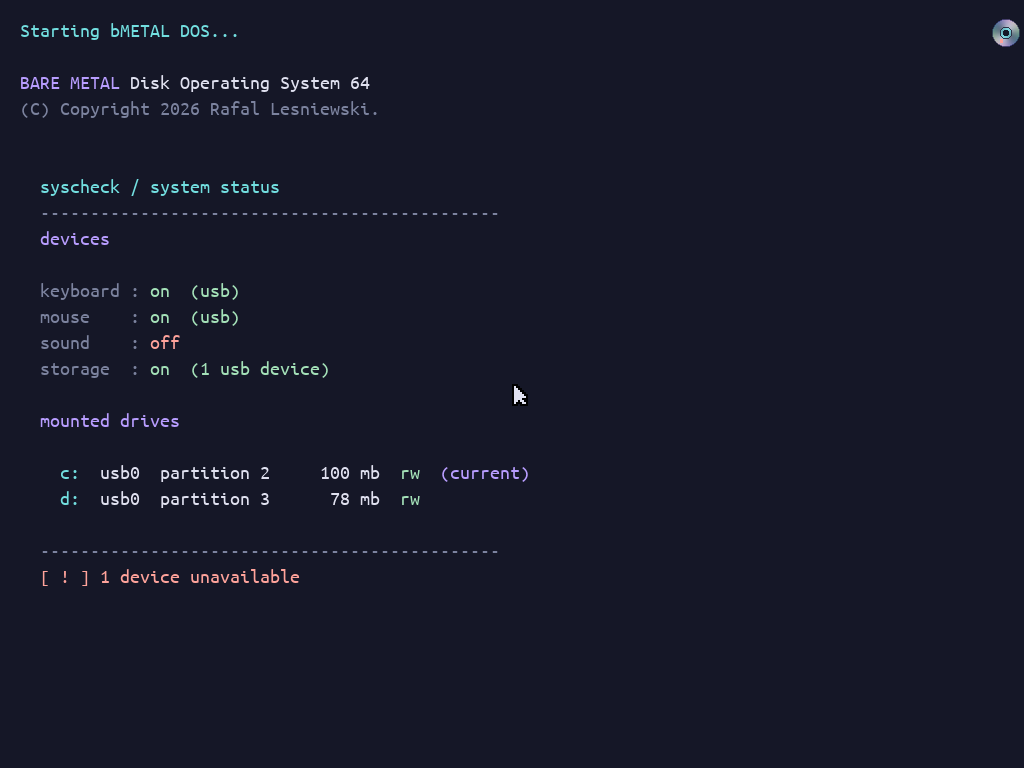
See the application gallery for real Maze3D, Breakout, and graphics-demo screenshots with launch commands.
Write freestanding C against the DOS64 API. Choose an ELF build for DOS64, or a PE build that also runs on Windows with the SDK runtime DLL.
GCC on Linux
ELF64 .lnx
DOS64
MinGW-w64 on Linux or Windows
PE32+ .exe
DOS64 or Windows + bmetal.dll
The PE executable is the same binary on DOS64 and Windows. These are DOS64 applications, not ordinary Linux or Windows programs; no host CRT or general-purpose libc is linked into the application.
Supported means implemented for the stated configuration, not certified on every PC. Experimental means hardware-dependent and incomplete. This summary describes the published test image and its application interface.
| Feature | Status | Requirements and limits |
|---|---|---|
| UEFI boot | Supported | x86-64 CPU, 64-bit UEFI, and GOP graphics. The published EFI binary is unsigned; disable Secure Boot. |
| QEMU testing | Supported | OVMF firmware and emulated xHCI USB storage/input. See the boot instructions for the recommended setup. |
| Framebuffer graphics | Supported | Software drawing, text, and composited layers on the GOP framebuffer; not hardware-accelerated 3D graphics. |
| USB storage and FAT32 | Experimental | Requires supported xHCI and USB mass-storage devices. The image provides C: and D: FAT32 volumes; not a claim of general internal-disk support. |
| Keyboard and mouse | Experimental | USB boot-HID devices on supported controllers; i8042 PS/2 keyboard fallback. Laptop built-in devices are not guaranteed. |
| Audio output | Experimental | Requires a supported output device. Applications must check audio availability; a successful boot does not imply working sound. |
| DOS64 ELF and PE applications | Supported | Freestanding x86-64 programs built for the DOS64 API and ABI. The public image bundles PE examples; its ELF example directory is empty. |
| Windows test host | Supported | The same DOS64 PE executable can run on Windows with matching bmetal.dll. Host behavior does not certify physical DOS64 hardware. |
| Legacy BIOS / Secure Boot | Not provided | No legacy BIOS/CSM boot target or signed Secure Boot image in this release. |
| General OS compatibility and isolation | Not provided | No ordinary Linux/Windows application compatibility, general-purpose libc, or isolated user processes. DOS64 applications run in ring 0. |
Test in a VM first and use disposable data on physical devices. Read the application portability guide for build targets and the SDK compatibility reference for runtime capability checks.
bMETAL DOS64 is an independent hobby operating-system project. It brings together a kernel, device drivers, a DOS-style shell, and an application runtime in one experimental system. It is not a Linux distribution or a version of Microsoft DOS.
DOS64 is a hands-on environment for exploring how an operating system works: from the UEFI handoff to graphics, input, storage, and native applications. The SDK provides an interface for writing programs specifically for DOS64, rather than ordinary Windows or Linux applications.
The ready-to-use image lets you try the system without building it. This is experimental software, not a daily-use desktop OS. Hardware support is limited, and applications run in ring 0 without isolation from the kernel. Use a virtual machine first and keep important data away from test devices.
No warranty or guarantee is provided. bMETAL DOS64, its disk images, SDK, examples, and documentation are provided “as is” and “as available,” without guarantees that they will work correctly, remain available, meet your needs, or work with particular hardware.
Use at your own risk. You are responsible for deciding whether it is safe to run. The software is experimental, may contain errors, and applications run without isolation from the kernel. It could cause data loss, damage files or storage, or make a device unresponsive. Back up important data, use a virtual machine or disposable test media, and do not rely on it for critical tasks.
What you see is what you get. Features, compatibility, and support are limited to what is described and included; no promise of future fixes, updates, or support is made.
This notice is a disclaimer, not a software license or permission to redistribute. Copyright and reuse rights for this project and bundled components are governed by their applicable license notices; third-party components may have separate terms.